Adding Vehicles

Written by Jenn Southan
Updated at September 30th, 2026
Table of Contents
Add a Vehicle
Admins can add vehicles and associate them with the appropriate fleet and service areas.
Before adding a vehicle: Make sure the required Vehicle Type has been created. Vehicle Types must be configured before adding vehicles.
- Log in to the application.
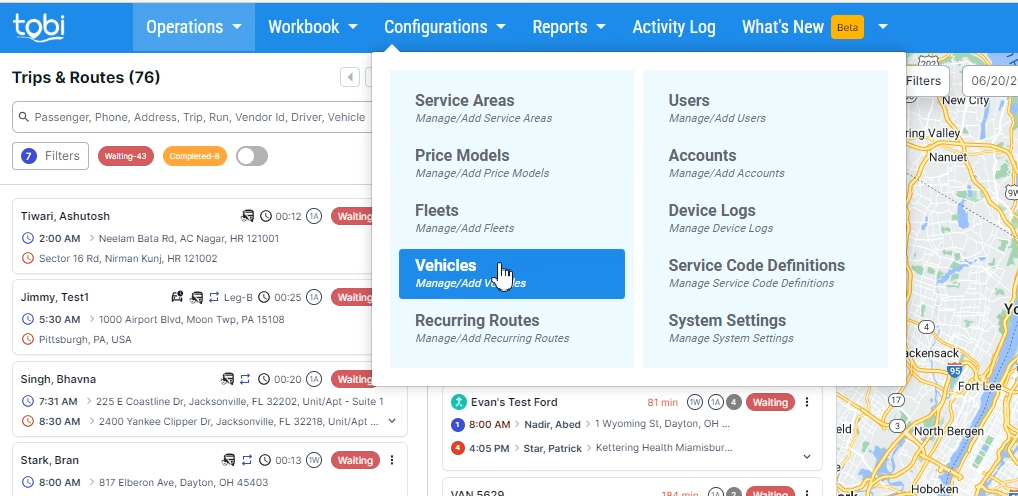
- Navigate to Configurations > Vehicle.
- Add the vehicle and assign the appropriate Vehicle Type, Fleet, and Service Area.
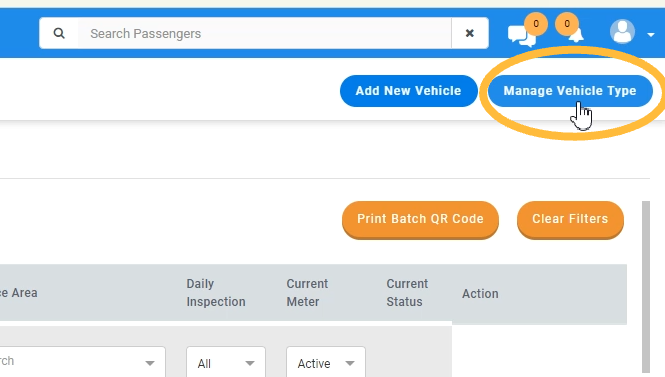
Click on “Manage Vehicle Type.”
Click on “Add New.”
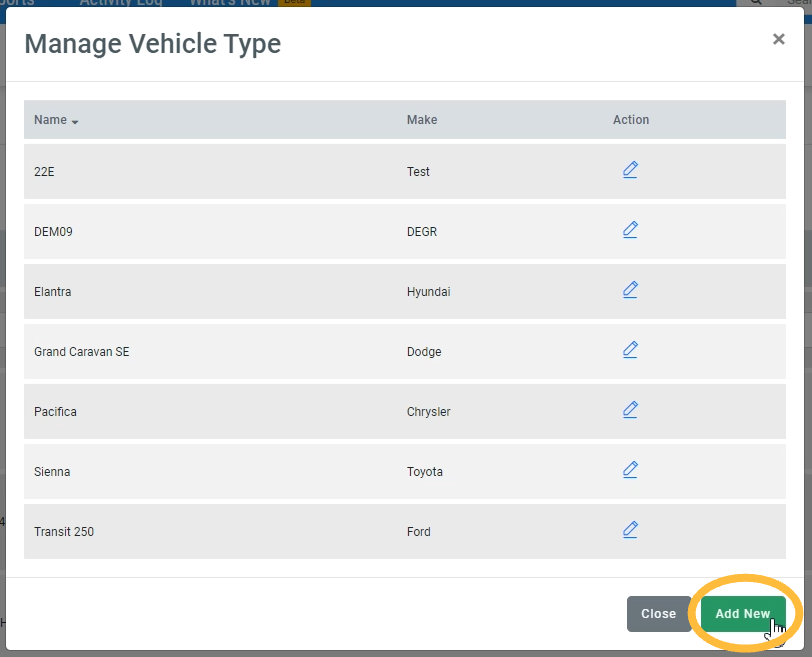
Provide make and model details
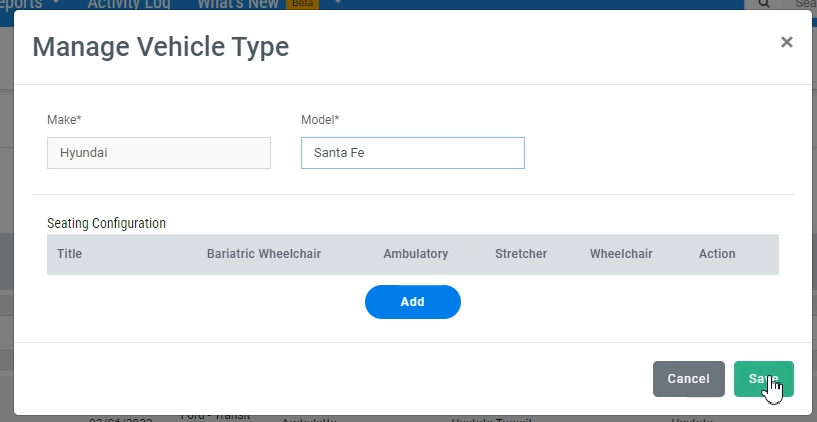
Provide Seating Configurations (not required): How many ways can the seating be configured in the vehicle?
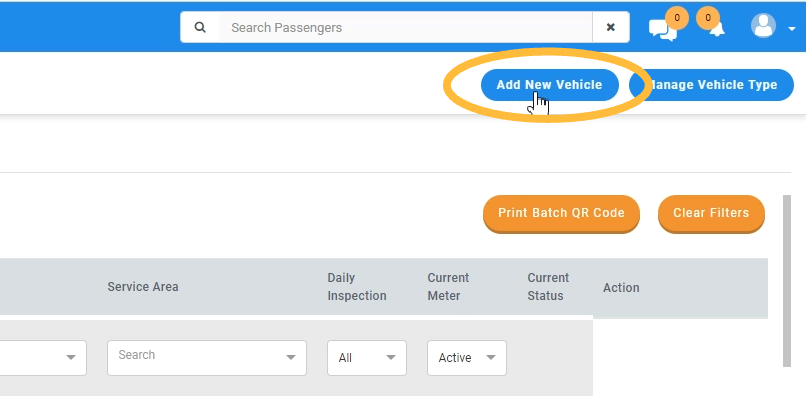
Add New Vehicle
Click on “Add New Vehicle” and add details such as name, color, type, registration number, VIN, plate number, and fleet association.
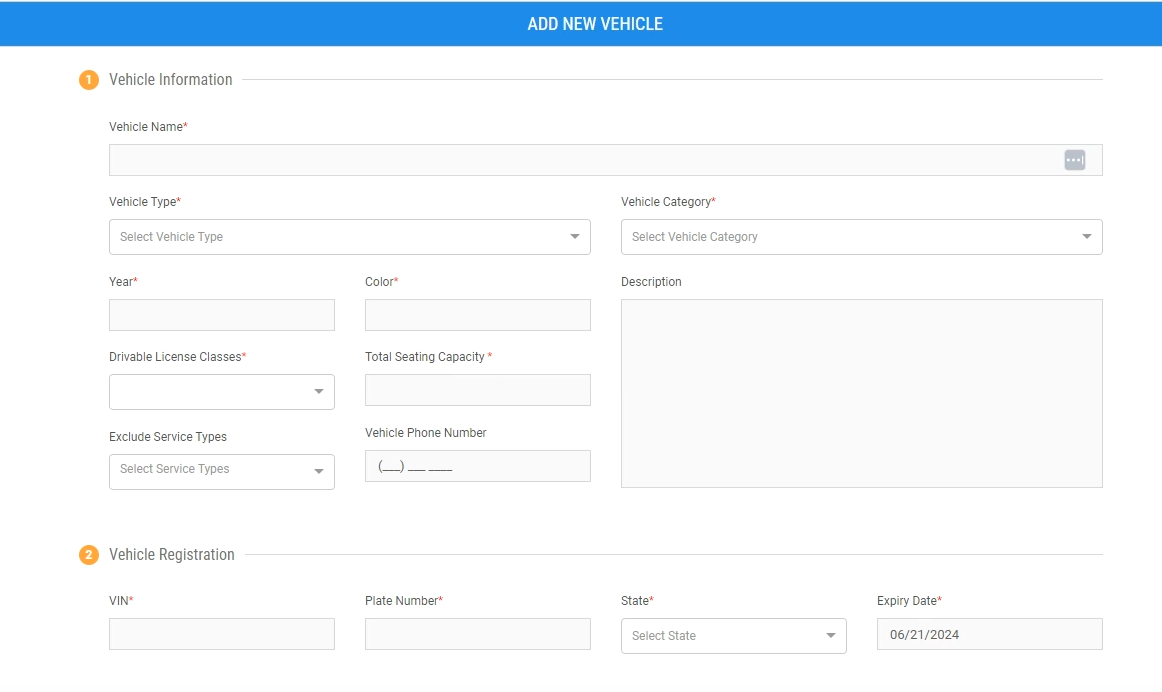
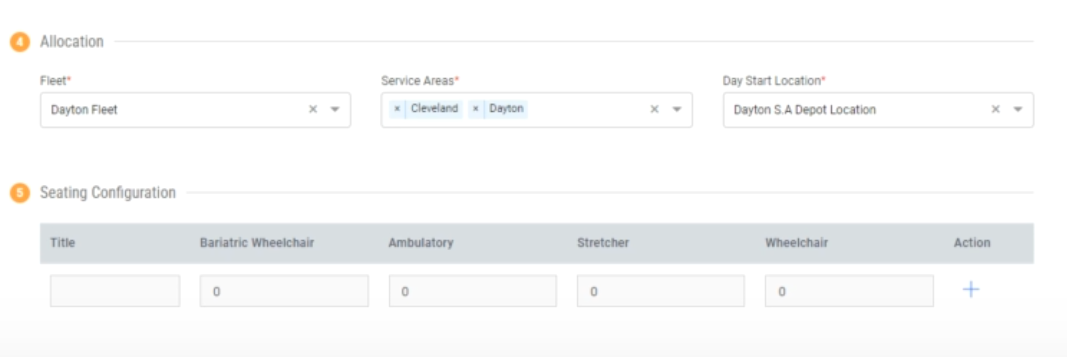
Associate the vehicle with the correct fleet, service areas, and select the day start location (either the depot or a custom address). You will also add the seating configurations to the vehicle here. You are able to add multiple seating configurations based on various seating types.